Field Colors
Field Colors
Each field in Stratus Enterprise is one of the following colors: blue, white, or pink.
Blue and white fields are designed for manual entries.

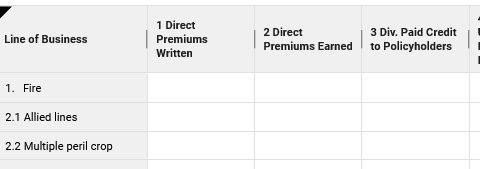
Pink colored fields are calculated fields, meaning that Stratus calculates the corresponding data for the field and returns a value to it. Pink fields are also used to rollover specific data from year to year, such as a unique company identification number or the amount reported on a particular line of the return from the previous year.


Default values appear in blue text. If you choose to override any data contained in a pink field, the overridden entry will appear in red and will be used in place of the calculated amount. Use the delete key to remove any overridden value and restore the default or calculated value of the field.

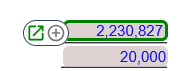
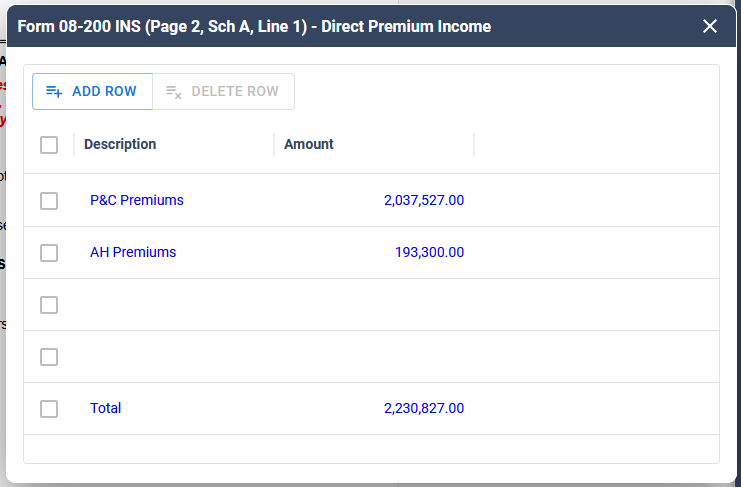
Fields outlined in green contain additional information that can be viewed and modified through an Adjustment Schedule. To open the Adjustment Schedule, hover over the field and click the green box with the up arrow.
Adjustment Schedules
Adjustment Schedules are available throughout Stratus for items such as:
- Gross Premiums
- Other Additions/ Deductions
- Other Taxes
- Other Credits
- Other Fees
These schedules provide additional detail about the calculations associated with a field and allow you to make adjustments when needed.
Adding Information
To enter additional information in an Adjustment Schedule, click a blank row or select Add Row. Enter the applicable information. Changes made within the Adjustment Schedule are automatically saved.
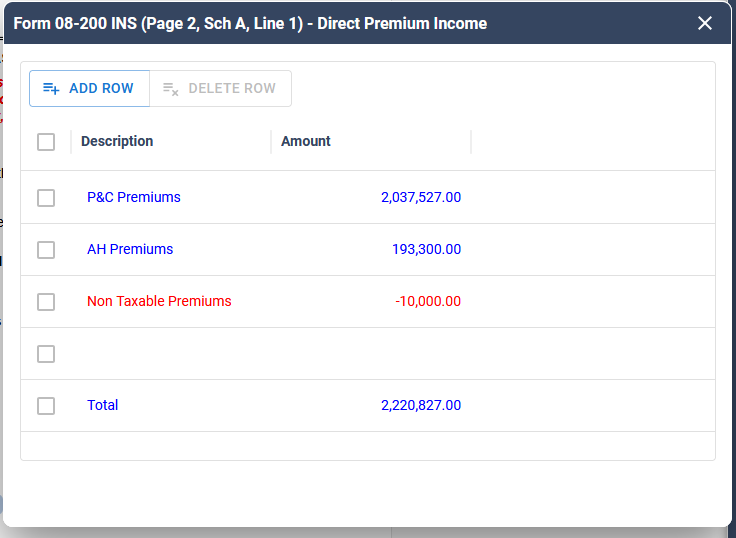
The Adjustment Schedule can be resized to provide additional space for viewing and working with your data. Drag the edges of the schedule to adjust the width as needed.
Resizing the Adjustment Schedule only changes how the schedule is displayed and does not affect the data or calculated values.
Related Articles